
Computer Station Nation is reader-supported.
When you buy through links on our site, we may earn an affiliate commission. Learn more.
Cherry MX is the most common mechanical switch brand in the world. See our complete switches guide for comparisons against Gateron, Kailh, and others. Here’s the full spec breakdown for every current Cherry MX switch variant — actuation force, travel, type, and what each one is best for.
Cherry MX Switch Specs (Full Table)
| Switch | Type | Actuation Force | Pre-Travel | Total Travel | Rated Lifespan | Best For |
|---|---|---|---|---|---|---|
| MX Red | Linear | 45g | 2mm | 4mm | 100M | Gaming |
| MX Speed Silver | Linear | 45g | 1.2mm | 3.4mm | 100M | Competitive gaming |
| MX Silent Red | Linear (silent) | 45g | 1.9mm | 3.7mm | 100M | Quiet gaming/typing |
| MX Brown | Tactile | 45g (55g peak) | 2mm | 4mm | 100M | Mixed use |
| MX Silent Brown | Tactile (silent) | 45g | 2mm | 3.7mm | 100M | Quiet mixed use |
| MX Blue | Clicky | 50g (60g peak) | 2mm | 4mm | 50M | Typing |
| MX Green | Clicky (heavy) | 80g | 2mm | 4mm | 50M | Heavy typists |
| MX Black | Linear (heavy) | 60g | 2mm | 4mm | 100M | Heavy typing |
| MX Clear | Tactile (heavy) | 65g (95g peak) | 2mm | 4mm | 100M | Firm tactile typing |
| MX White | Clicky (light) | 45g | 2mm | 4mm | 50M | Light clicky typing |
MX2A Generation (Current)
Cherry released the MX2A series as the current-generation update to MX. The MX2A switches use a redesigned spring with improved guidance in the stem for more consistent feel. Both MX and MX2A are in active production and widely available — keyboards still ship with original MX variants. The MX2A shares the same color-coded type scheme as original MX.
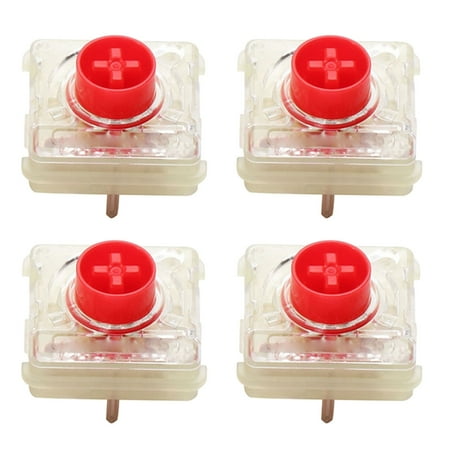
Features: Brand new and high quality Cherry MX Low Profile RGB Red/Silver Switch. Cherry MX Low Profile RGB is a new switch, but it still retains the advantages of MX switches. Due to the new design of this switch, the volume is very thin and the internal structure is compact. It is not only...
Cherry MX Low Profile
Cherry also makes Low Profile RGB switches (Red and Speed Silver variants) for slim keyboard designs. These have 3.2mm total travel versus 4mm on standard MX and a lower profile housing. Found in keyboards like the Corsair K70 RGB MK.2 Low Profile. Actuation force is 45g for both variants.
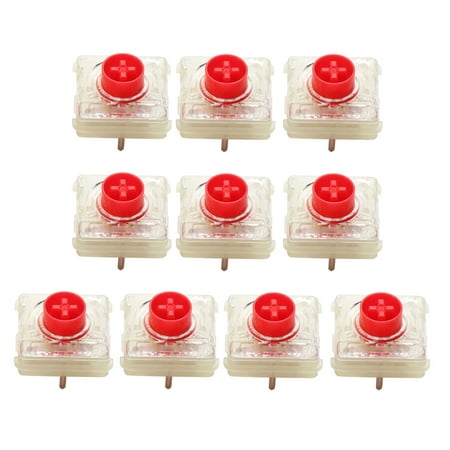
Features: Cherry MX Low Profile RGB Red/Silver Switch. Cherry MX Low Profile RGB is a new switch, but it still retains the advantages of MX switches. Due to the new design of this switch, the volume is very thin and the internal structure is compact. It is not only suitable for notebook...
Switch Sampler
If you’re not sure which Cherry MX switch you prefer, a switch tester is the most efficient way to find out. Most testers include Red, Brown, Blue, Black, and Clear (sometimes Speed Silver and Silent Red) — one switch of each type in a small mount so you can feel each one before committing to a full board.
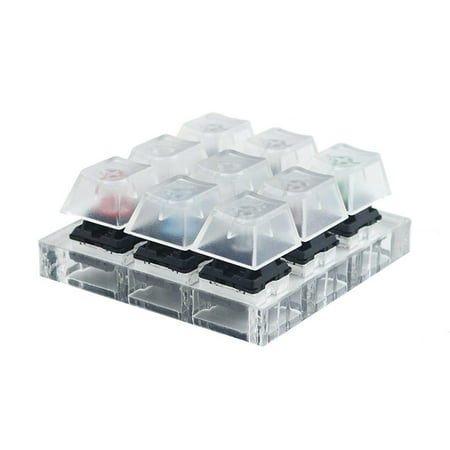
Features: This mx switch tester shares you exactly the same press feeling on a for cherry mx switch mechanical keyboard Like owning 9 mechanical keyboards, 9 different switches will help you to tell what your favorite type is. Mounted on a crystal transparent acrylic model, equipped with...
Which MX Switch to Choose
Gaming: MX Red or MX Speed Silver. Mixed use: MX Brown. Typing with noise: MX Blue. Quiet office: MX Silent Red or MX Silent Brown. Heavy typist who wants resistance: MX Black (linear) or MX Clear (tactile). Light clicky feel: MX White.
The original MX Red remains the best-selling switch for a reason — 45g actuation, smooth linear feel, and 100 million keystroke lifespan works for the vast majority of use cases. If you don’t have a strong preference, Red is the safe default.

