
Computer Station Nation is reader-supported.
When you buy through links on our site, we may earn an affiliate commission. Learn more.
Mechanical keyboard switches are the most important spec on any board you buy. For the full keyboard picture, see our complete mechanical keyboards guide. The brand, the size, the RGB — none of it matters as much as what’s happening under your keycaps when you press a key. This guide covers every major switch type, brand, and spec so you can stop guessing and just pick the right one.
The Three Switch Types
Every mechanical switch falls into one of three categories. Everything else is a variation within those categories.
Linear
Smooth, consistent keystroke from top to bottom. No tactile bump. No audible click. Just a clean stroke down and back up. Favored by gamers because the lack of resistance means slightly faster input and lower fatigue over long sessions.
Common linears: Cherry MX Red (45g), Cherry MX Speed Silver (45g, shorter travel), Gateron Yellow (35g), Gateron Red (45g), Razer Yellow (35g), Kailh Red (50g).
Tactile
A bump midway through the keystroke tells you when the key has registered — without making noise. Good for typists who want feedback without the clicky sound. Also decent for gaming since the bump is subtle enough not to slow you down.
Common tactiles: Cherry MX Brown (45g), Gateron Brown (45g), Razer Orange (45g), ZealPC Zealios (67g — much more pronounced tactile for dedicated typists), Topre (variable — a capacitive design that feels unlike anything else).
Clicky
Tactile bump plus an audible click at actuation. You feel AND hear the key register. The most satisfying switches to type on. Also the loudest — not great for shared spaces, calls, or anyone within earshot who didn’t ask for a percussion performance.
Common clickies: Cherry MX Blue (50g), Gateron Blue (50g), Razer Green (50g), Kailh Box White (45g — slightly quieter and more water resistant).
Cherry MX: The Industry Standard
Cherry MX switches are the benchmark everything else gets compared to. German-made, rated for 100 million keystrokes, and available in every major type. They’ve been around since the 1980s and they’re still in half the gaming keyboards on the market.
| Switch | Type | Actuation Force | Travel | Best For |
|---|---|---|---|---|
| MX Red | Linear | 45g | 4mm | Gaming |
| MX Speed Silver | Linear | 45g | 3.4mm | Competitive gaming |
| MX Brown | Tactile | 45g | 4mm | Mixed use |
| MX Blue | Clicky | 50g | 4mm | Typing |
| MX Black | Linear | 60g | 4mm | Heavy typists |
| MX Clear | Tactile | 65g | 4mm | Firm tactile typists |
Switch Alternatives: Gateron, Kailh, and Others
Cherry MX used to hold patents on their switch design. Those patents expired in 2014, and the market exploded with clones and competitors. Many of them are genuinely good — some enthusiasts actually prefer them.
Gateron
The most popular Cherry MX alternative. Gateron switches use the same stem design but tend to feel smoother out of the box — the factory tolerances are slightly looser, which actually reduces friction on linears. Gateron Yellow (35g) and Gateron Pro Red are particularly well-regarded. Usually a bit cheaper than Cherry MX. Widely available and compatible with most standard Cherry MX boards.
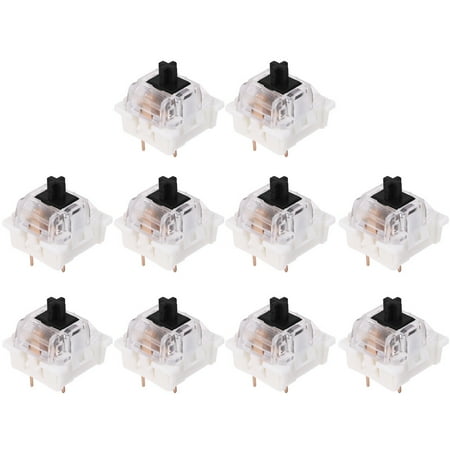
Specifications: it is caompatible with 3 pin mechanical keyboard for Four types of Led lights Item: Mechanical Keyboard Outemu 3pin Switch Material: Plastic+Metal Color: Blue, Red, Brown, Black Size: Standard size Quantity: 1 Set(10pcs) (other accessories demo in the picture is not included)...
Kailh
Kailh makes solid budget switches and has innovated in a few areas where Cherry hasn’t. Kailh Box switches (White, Brown, Red) add a housing that gives the switch stem more stability and makes them more resistant to dust and moisture. Kailh Speed switches compete with Cherry MX Speed Silver for fast actuation. Kailh Choc switches are low-profile — used in ultra-thin mechanical keyboards.
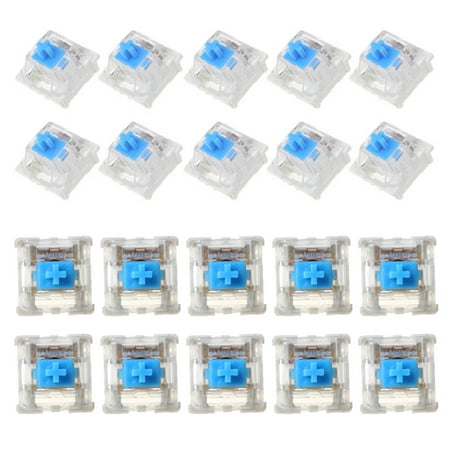
Feature: Mounted on PCB to simulate actual for key feeling. 60g actuation force, clicky, loud. Very popular for typists who don'for t mind annoying their neighbors. A must have kit to try Cherry MX mechanical for key switch. Specifications: Pin: 3 Pin Material: Plastic Interface type: USB...
Outemu
Budget-tier Cherry MX clone. Found in many entry-level keyboards in the under-$30 range. Quality is adequate — not as smooth as Gateron or Cherry, but functional. Mainly relevant when you’re looking at very inexpensive boards. Also sold as aftermarket switch packs for cheap hot-swap boards.
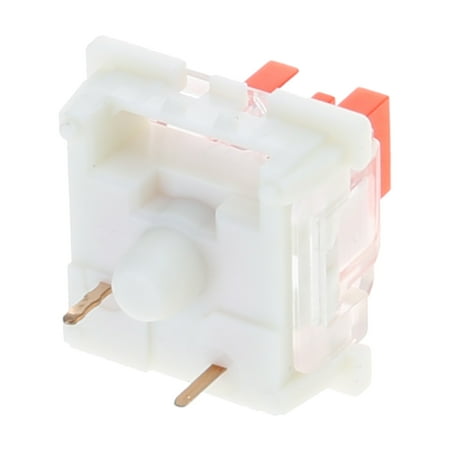
Features: Long service life and good feel Unisex for boys and girls Strong sense of paragraph, suitable for most occasions. The total travel is shortened, thetrigger is more faster The linear switch has small amount of Lubrication inside,which is very suitable for quiet environments. Fit for...
Proprietary Gaming Switches
Major gaming brands have moved to their own switch designs. The results are generally good:
Razer switches
Razer Green (clicky tactile, 50g), Razer Orange (silent tactile, 45g), Razer Yellow (linear, 35g). Razer also makes optical switches — same feel profile but using a light beam instead of physical contact, rated for 100 million keystrokes. The optical versions actuate faster with no debounce delay.
Logitech Romer-G and GX
Romer-G Tactile and Linear (older, found in legacy G-series boards). GX Blue (clicky), GX Brown (tactile), GX Red (linear) are the current lineup. GX switches have slightly shorter travel than Cherry MX (4mm vs. 4.5mm in some configurations). Logitech’s G HUB software integrates well with their boards.
SteelSeries QX2 and OmniPoint
SteelSeries QX2 switches are standard mechanical (tactile). OmniPoint is their magnetic Hall Effect switch — adjustable actuation from 0.4mm to 3.6mm. If you want to dial in exactly where your keys register, OmniPoint is worth knowing about.
Hall Effect Switches: The New Thing Worth Knowing About
Hall Effect (HE) switches use magnets instead of physical contacts to detect keypresses. The result is adjustable actuation — you can set each key to register at exactly the depth you want. No physical wear on contact points. Virtually infinite lifespan in theory.
Wooting keyboards are the most talked-about HE boards right now. The r/MechanicalKeyboards community has been calling 2024-2026 an “HE arms race” — several brands pushing Hall Effect boards at increasingly competitive prices. For competitive gaming, HE is worth a serious look. For everyday use, traditional mechanical is still excellent.
How to Switch Your Switches
If your keyboard has hot-swap sockets, swapping switches is straightforward. You need a switch puller (or a flathead screwdriver in a pinch — careful not to damage the PCB), new switches, and about 20 minutes. Pull out the old switch, push in the new one, repeat for every key you’re changing. No soldering required.
For soldered keyboards, it’s more involved. You need soldering equipment, flux, solder wick, and some patience. Not difficult if you’ve done any electronics work before, but a real barrier if you haven’t. If you think you’ll want to swap switches down the line, buy a hot-swap board from the start.
Should You Lube Your Switches?
Lubing reduces friction between the stem and the housing, making linears smoother and reducing the high-pitched “scratch” sound on unlubed switches. The community is pretty unanimous: lubed switches feel better. The question is whether the improvement is worth the time investment (roughly 30 minutes to lube a full set of switches).
For linear switches, lubing is worth it — the smoothness difference is noticeable. For tactile and clicky switches, be careful: lubing the wrong part of a tactile switch will kill the bump. If you want to lube tactiles, lube only the legs and housing sides, not the tactile mechanism. Many people skip lubing clicky switches entirely — the click mechanism doesn’t benefit and is easy to damage.
FAQ
Are Cherry MX switches the best?
They’re the standard, but not necessarily the best. Gateron and Kailh produce switches that many enthusiasts prefer for smoothness and price. Cherry MX’s main advantages are consistency, brand recognition, and the fact that every Cherry MX-compatible keyboard works with them. But “Cherry MX” is not a quality guarantee on its own — it’s just a type of switch.
What actuation force should I choose?
Most people game and type comfortably on 45g (Cherry MX Red/Brown). Lighter switches (35g Gateron Yellow) can feel too feathery for some typists — easy to accidentally trigger. Heavier switches (60g+ Cherry Black/Clear) reduce typos but add finger fatigue over long sessions. Start at 45g if you’re not sure.
Can I put any switch in any keyboard?
Not quite. Keyboards use either 3-pin or 5-pin switch housings. 5-pin switches fit in 5-pin PCBs. 3-pin switches fit in both (the two extra stabilizing pins can be clipped off 5-pin switches to make them fit 3-pin boards). Check what your board supports before buying replacement switches. Most hot-swap boards are compatible with both when you clip 5-pin switches, but verify first.
Do switches break in over time?
Yes, linears in particular smooth out over time as the plastic surfaces wear slightly against each other. This is a feature, not a bug — many people prefer “broken in” linears. NovelKeys Cream switches are famous for this; they actually get smoother the more you use them. Tactile and clicky switches also change a bit over time, though the effect is less dramatic.
Go Deeper on Switches
- Cherry MX switches: complete specs — full table for every MX variant
- Keyboard actuation force explained — what the numbers actually mean
- How to replace mechanical keyboard switches — hot-swap and soldered methods
- The evolution of keyboard switches — from buckling springs to Hall Effect


