Computer Station Nation is reader-supported.
When you buy through links on our site, we may earn an affiliate commission. Learn more.
Bezel-less monitors minimize the border around the panel — which matters most in dual or triple monitor setups where large bezels create a visible gap at the center seam. Most monitors in 2026 have thin bezels, but there’s still a real difference between a true 3-sided frameless design and a standard thin-bezel monitor. Here’s what stands out right now.
Quick picks
- Gawfolk 24.5″ 200Hz IPS Frameless — Best for gaming at 24″
- CRUA 22″ 100Hz 3-Side Frameless — Best budget frameless
- Gawfolk 27″ 165Hz Frameless Gaming — Best 27″ value
- Gawfolk 27″ Curved 100Hz White — Best curved frameless
- Titan Army P2510HS 300Hz Fast IPS — Best high-refresh frameless
- onn 34″ WQHD 200Hz Curved — Best ultrawide frameless
Table of contents
What “bezel-less” and “frameless” actually mean
True bezel-less monitors have the panel surface extending nearly to the edge of the chassis, with only a thin metal or plastic edge visible. “3-sided frameless” means three sides (top, left, right) are borderless — the bottom still has a chin for the stand and ports. Most monitors marketed as frameless are 3-sided.
Why it matters for multi-monitor setups: the visible gap between two frameless monitors placed side by side is just the combined panel edge (a few millimeters total), vs. two standard monitors where combined bezels can be 2-3cm. For video editing, design work, or gaming across multiple panels, the smaller gap is less distracting.
Bezel-less monitor reviews
Gawfolk 24.5″ 200Hz IPS Frameless Gaming Monitor — Best for gaming at 24″
200Hz IPS with 100% sRGB, built-in speakers, VESA support, and a true frameless design at $89. The Gawfolk 24.5″ hits the sweet spot for competitive gaming — fast enough for serious play, accurate enough for general use. Eye care certification adds value for long sessions.
| Spec | Detail |
|---|---|
| Size | 24.5″ |
| Resolution | 1920×1080 FHD |
| Panel | IPS, 100% sRGB |
| Refresh rate | 200Hz |
| Price | ~$89 |
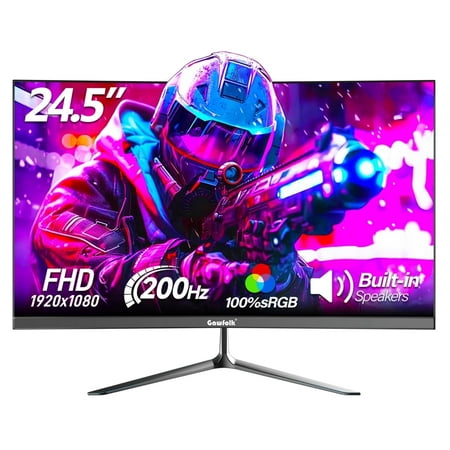
24.5-inch IPS panel with a 200Hz refresh rate and 1ms response time for smooth, fluid gameplay and lifelike colors Full HD (1920 x 1080) resolution and 100% sRGB color accuracy for stunning visual clarity 250 nits of brightness for a vibrant and immersive viewing experience HDMI, DisplayPort,...
CRUA 22″ 100Hz 3-Side Frameless Monitor — Best budget frameless
At $90 with a 3-sided frameless design and VA panel, the CRUA 22″ is the entry point for frameless multi-monitor builds. VA gives better contrast than IPS at this price. VESA mount compatible, HDMI and VGA ports, eye-care mode included. The 22″ size limits it to budget office or secondary screen duty, but for frameless under $90 it holds up.
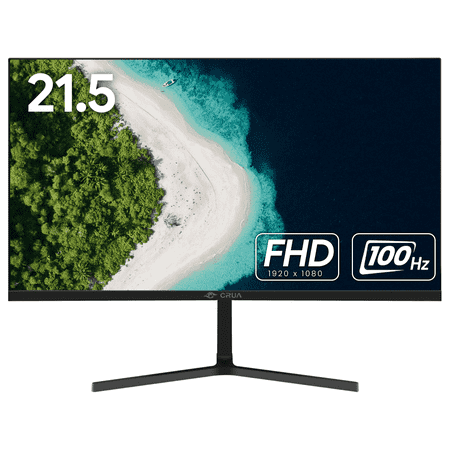
⭐Immerse in Brilliance - CRUA 22" Full HD Monitor Discover greatness with the CRUA 22" desktop monitor. Enjoy stunning visuals in Full HD with a 1080P resolution, 100Hz refresh rate, and 95% sRGB color gamut. Immerse yourself with a wide 178° viewing angle and a sleek narrow bezel design....
Gawfolk 27″ 165Hz Frameless Gaming Monitor — Best 27″ value
27″ at 165Hz with the frameless design hits the productivity-gaming crossover well. 1080p at 27″ is on the lower end of pixel density but adequate for gaming. DisplayPort and HDMI, AMD FreeSync support. The 165Hz keeps it competitive for mainstream gaming without pushing into the high-refresh price tier.
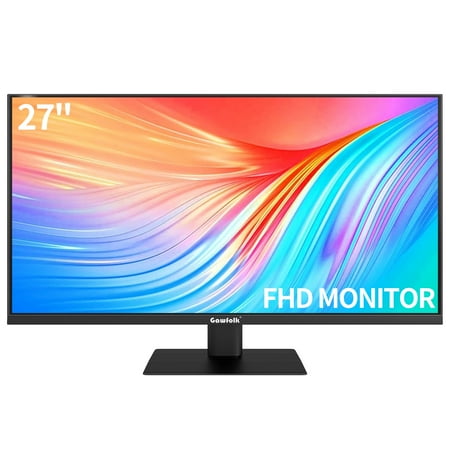
Enjoy unparalleled visual quality with our Gawfolk 27" 1080p 165Hz Curved Monitor for exquisitely detailed picture quality and stunning color delivery. DisplayPort and HDMI Connectivity ensure true digital contentand and better gaming experience, and we've got you covered with everything you...
Gawfolk 27″ Curved 100Hz Frameless Monitor (White) — Best curved frameless
The white Gawfolk curved gives you a 1800R curve, built-in speakers, and frameless design in an aesthetic that stands out on a battlestation. $110 covers the budget curved-plus-frameless combination. The 100Hz refresh rate is entry tier but handles everyday gaming fine.
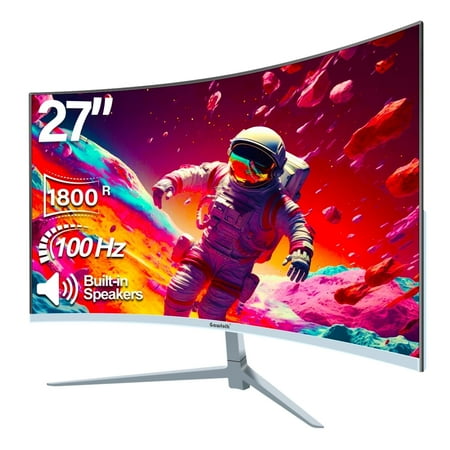
27-inch Curved Gaming White Monitor , 1800R, micro-arc built-in speaker, VA screen, 98% sRGB color gamut, 1920x1080p resolution, 100Hz refresh rate, and 5ms response time The VA panel has a brightness of 250cd/m2, a 16.7 million color gamut, and a dynamic contrast ratio of 4000:1, 16:9 The...
Titan Army P2510HS 300Hz Fast IPS Bezel-Less — Best high-refresh frameless
300Hz Fast IPS in a 3-sided frameless design at $140. Titan Army’s monitor supports 10 scenario modes (FPS, RTS, HDR400 included) and targets competitive gamers who want minimal bezels without sacrificing frame rate. Fast IPS delivers lower response times than standard IPS, which matters at 300Hz.
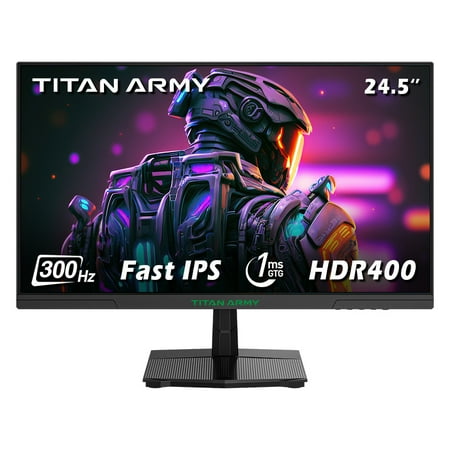
The Titan Army P2510HS gaming monitor is designed for competitive gamers and content creators, featuring a 24.5-inch flat screen with a 3-sided bezel-less design that enhances immersion. With a 300Hz refresh rate and 1ms GTG response time, it ensures smooth and tear-free gameplay. The monitor...
onn 34″ WQHD 200Hz Curved Bezel-Less Monitor — Best ultrawide frameless
onn’s 34″ ultrawide brings WQHD (3440×1440) resolution, 200Hz, a 1500R curve, and a bezel-less design at $198. For a battlestation centerpiece that spans ultrawide gaming and productivity, this delivers a lot at the price. 1ms response time and FreeSync support complete the package.
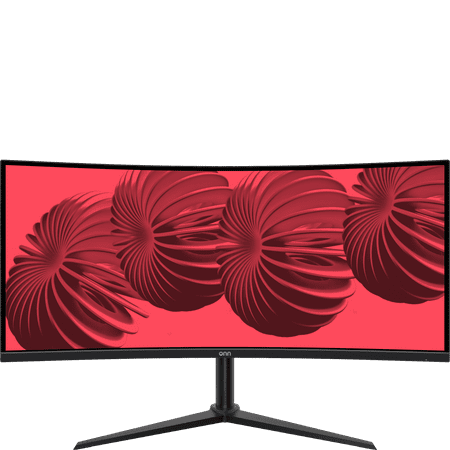
Expand your gaming vision with our new onn 34" 200Hz 1440p Curved Ultrawide WQHD Gaming Monitor for exquisitely detailed picture quality and stunning color delivery. HDMI connectivity ensures true digital content, and we've got you covered with everything you need to get up and running right out...
Verdict
For a frameless dual-monitor battlestation on a budget: two Gawfolk 24.5″ 200Hz units run under $180 total and look clean side by side. For ultrawide: the onn 34″ WQHD at $198 is the best single-panel pick on this list. For maximum frame rate: the Titan Army 300Hz.
FAQ
Does bezel-less affect image quality?
No. The bezel is just the border — it doesn’t affect the display surface. Panel type, resolution, and refresh rate determine image quality.
Are bezel-less monitors harder to stack in multi-monitor setups?
The opposite — they’re easier. The thin bezels align better and the visual gap at the seam is smaller, which is less distracting when moving the cursor between screens.

Best 240Hz Monitor