
User Posts: Dustin Montgomery
0

0
Here is the surprising thing about screen readers in 2026: you do not need to spend a dime to get a good one. Windows ships with Narrator built in. Every Mac ...
0

0
Your wrists hurt, and typing is the reason. Whether it is carpal tunnel, RSI, or plain tendonitis, every keystroke is another jab at the median nerve. The fix ...
0

0
Finding the right wheelchair-height desk is one of those purchases that looks simple on paper but gets complicated fast. A standard desk sits around 29–30 ...
0

0
If you have limited use of one hand—whether from stroke recovery, cerebral palsy, carpal tunnel, RSI, arthritis, or an amputation—a standard mouse can be ...
0

0
Quick Answer: For people with hand tremor, a trackball mouse is almost always the better choice. It keeps your hand stationary while your thumb rolls the ...
0

0
If your wrists ache after a day at the keyboard or your hand goes numb halfway through a mouse session, you're not imagining it. Repetitive strain injuries ...
0

0
Ergonomic Keyboard and Mouse Buying Guide for RSI and Carpal Tunnel Relief (2026) If you're reading this, you probably already know the feeling. That dull ...
0
0
If you spend hours at a keyboard and feel that familiar ache creeping into your wrists, you're not alone. Repetitive strain injuries and carpal tunnel ...
0

0
Standard keyboards assume you have two hands with full range of motion. If you don't, whether from stroke recovery, cerebral palsy, arthritis, RSI, or an ...
0
0
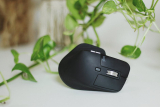
Quick Answer: For most people dealing with wrist pain, a vertical mouse (like the Logitech MX Vertical) is the safer first choice. It keeps your forearm in a ...
0

0
Walk through any city and you'll notice them: the gentle ramps where sidewalk meets street. Curb cuts were designed in the 1940s for wheelchair users, a ...
0

0
Best Large Print Keyboards for Visually Impaired Users (2026) If you've caught yourself squinting at your keyboard, leaning in, or fat-fingering the wrong ...
- 1
- 2
- 3
- …
- 83
- Next Page »
User Deals: Dustin Montgomery

Deal
A whisper-quiet full-size large-print keyboard with oversized white-on-black legends and a single-color backlight — built for shared spaces and noise-sensitive users.
★★★★★
Deal
A full-size, no-frills keyboard with massive black letters on bright yellow keys — designed for users with severe contrast sensitivity issues like macular degeneration or post-cataract recovery.
★★★★★
Deal
A full-size large-print keyboard with oversized white-on-black legends and a clean white LED backlight — built for low-vision users who want one keyboard that works in any lighting.
★★★★★
Deal
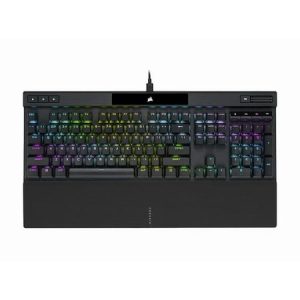
Tank-built full-size mechanical with genuine Cherry MX switches, anodized aluminum frame, and full iCUE software control. Best for desktop battlestations where wired is fine and durability matters more than wireless gimmicks.
★★★★★
Deal
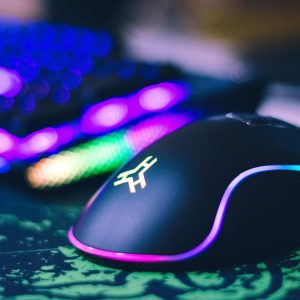
The most enthusiast-friendly Corsair keyboard ever. Hot-swap PCB, tri-mode wireless, PBT keycaps, 75% layout. The smart long-term buy if you can live without a numpad.
★★★★★

Deal
Corsair's best mechanical keyboard value in 2026. Pre-lubed MLX Red linears, sound dampening, rotary dial, full-size. The K70 to buy if you're not sure which K70 to buy.
★★★★★
Deal
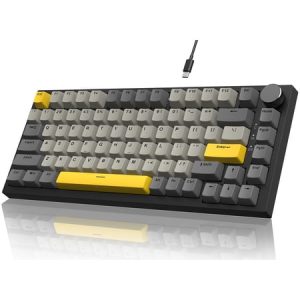
A $41 gasket-mount 75% mechanical with hot-swap sockets and five layers of foam. Best dollar-for-dollar keyboard on the market.
★★★★★
Deal
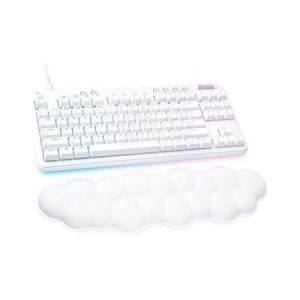
A full-size white mechanical with PBT keycaps and gasket-feel typing that punches above its price.
★★★★★
Deal
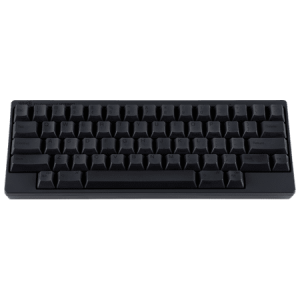
Wireless HHKB without the Type-S silencing — louder thock, same dual-mode connectivity, $36 cheaper. Best for home-office typists who want HHKB to actually sound like HHKB.
★★★★★
Deal
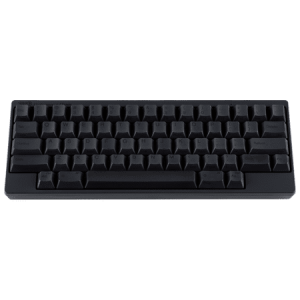
The pure wired HHKB experience — 45g Topre, dye-sub PBT, and the iconic thock that made the brand famous. Best for home-desk typists who don't need wireless.
★★★★★
Deal
The endgame Topre 60% keyboard — silenced switches, Bluetooth + USB-C dual mode, four-device pairing, and the iconic HHKB layout. Built for typists, developers, and writers who want one board to last a decade.
★★★★★
Deal
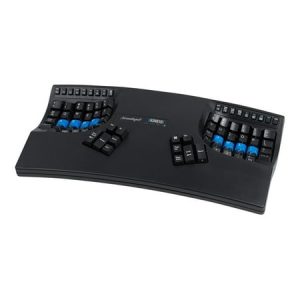
A contoured split ergonomic keyboard with Cherry MX Brown switches, built for heavy typists, programmers, and anyone fighting RSI. The two-week learning curve is real — so is the decade of pain-free typing on the other side.
★★★★★
Show next
Browsing All Comments By: Dustin Montgomery