Computer Station Nation is reader-supported.
When you buy through links on our site, we may earn an affiliate commission. Learn more.
Nothing wrecks a video call faster than bad audio. The camera can be grainy, the lighting can be off, and the meeting still works. But if people keep asking you to repeat yourself, the call is over. That is the one piece of your setup you cannot fake.
This guide is for the person who lives in Zoom, Microsoft Teams, and Google Meet: remote workers with back-to-back meetings, freelancers on client calls, students in online classes, and anyone tired of the laptop mic making them sound like they are in a tin can. We ranked six USB condenser microphones on voice clarity, mute controls, build quality, and value. No audio interface required, no XLR cables, no mixing board. Plug in and sound better before your next meeting starts.
If you only want the short version: the FIFINE A6NEO is the best all-around pick for video conferencing, the ZealSound is the best kit if you want a boom arm and pop filter included, and the onn Tri-Pattern is the smartest buy for calls because it puts volume and mute right on the mic. For the full picture across every mic type, our Best Computer Microphone guide covers the whole category.
Quick Picks
- Best overall: FIFINE A6NEO — hardware mute button, gain control, and a 5-star rating from 627 buyers
- Best all-in-one kit: ZealSound Gaming USB Microphone — boom arm, pop filter, and monitoring all in the box
- Best for calls & meetings: onn USB Tri-Pattern Microphone — volume and mute on the mic, plus a headphone jack
- Best touch-mute option: ZealSound Gamerwave — tap the top to mute, gain and monitoring included
- Best gaming-tuned twin: onn USB Tri-Pattern Gaming Microphone — the same tri-pattern trick, tuned for game chat
- Best ultra-budget: Popu Pine USB Condenser — under $15 and good enough for daily calls
How We Chose
We started from what meeting audio actually demands. A conference mic needs a mute you can hit blind, gain that does not clip when you get excited, and a pickup pattern that ignores your keyboard. We evaluated six USB condenser microphones that cover the practical price range for this job, weighed buyer ratings and review counts against feature sets, and cut anything that does not justify its price. Every pick below is plug-and-play on Windows and macOS.
Things to Consider Before Buying a Conference Mic
Most laptop microphones pick up your voice fine at close range and then fall apart the moment your room has any other sound in it. A dedicated mic fixes the two things that actually matter on calls: directionality and a physical mute.
Pickup pattern. Cardioid is the default for a reason. It listens mostly to what is in front of it, which means your voice comes through clean and your mechanical keyboard stays out of the meeting. Multi-pattern mics add omni and figure-eight modes, which is useful if two people share one desk.
Mute and gain. A hardware mute button is not a luxury, it is the difference between coughing into a live call and quietly cutting yourself off. Gain control lets you set your level once instead of relying on software that drifts. If you join calls all day, do not skip these.
Monitoring. A 3.5mm headphone jack on the mic lets you hear yourself with zero latency. It sounds gimmicky until you use it once and realize how much easier it is to keep a steady speaking level.
Budget. You do not need a studio mic for meetings. The difference between a $15 mic and a $150 mic matters for recording music, not for being heard clearly on a Tuesday morning standup. Set a sane budget and spend it on mute controls and build quality, not on marketing.
At a Glance
| Product | Best For | Price | Rating |
|---|---|---|---|
| FIFINE A6NEO | Overall / streaming | $37.99 | 5 / 5 |
| ZealSound Gaming USB | All-in-one kit | $35.99 | 5 / 5 |
| onn USB Tri-Pattern | Calls & meetings | $29.83 | 5 / 5 |
| ZealSound Gamerwave | Touch mute | $39.99 | 4 / 5 |
| onn USB Tri-Pattern Gaming | Gaming chat | $41.87 | 5 / 5 |
| Popu Pine USB Condenser | Ultra-budget | $14.99 | 4 / 5 |
FIFINE A6NEO — Best Overall
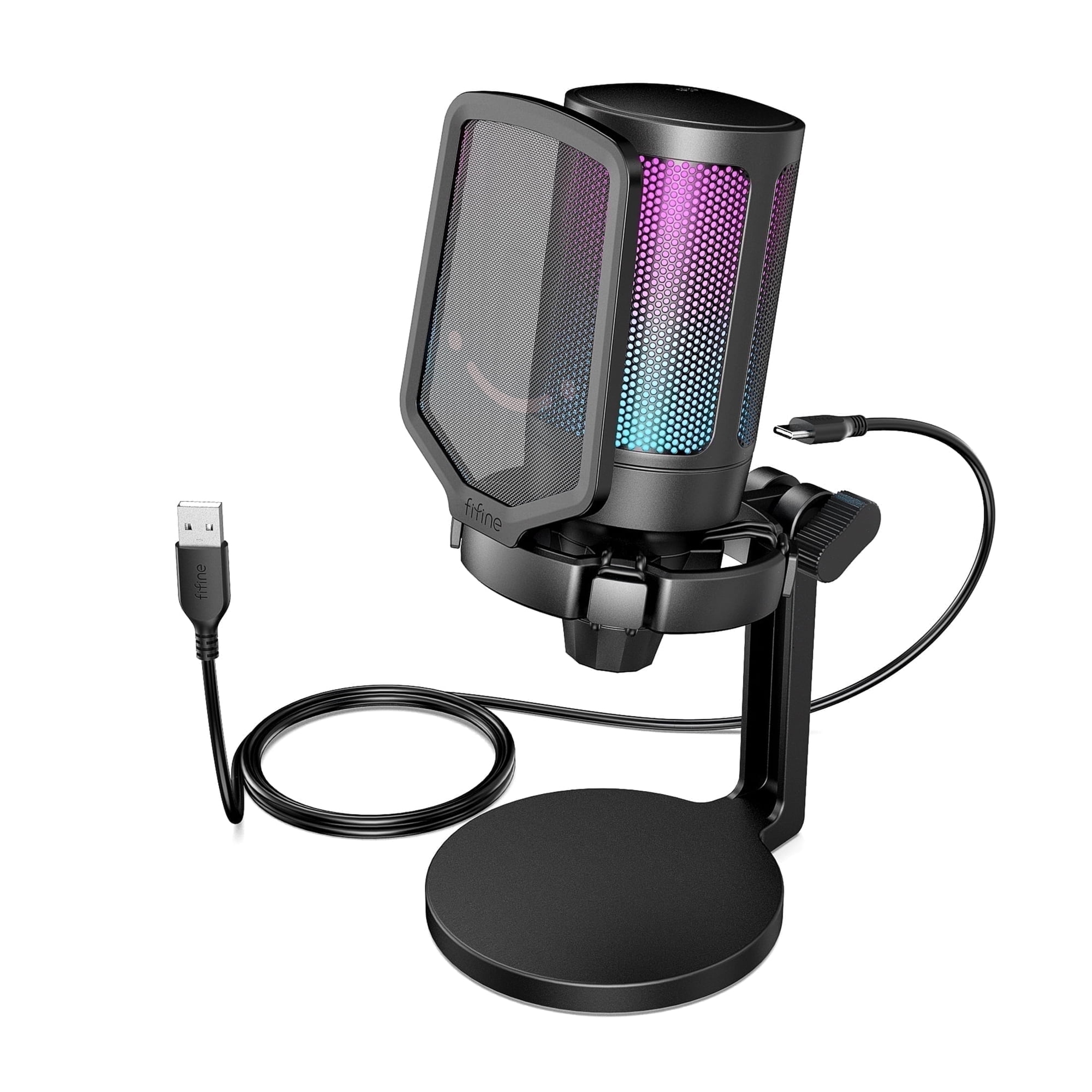
Level up your console/PC gaming and streaming with our state-of-the-art usb gaming microphone for gaming laptop. Featuring a stunning bicolored RGB lighting system with seven gradient color modes, streaming mic for gaming pc not only captures your voice with crystal clarity but also adds a...
The FIFINE A6NEO is the safest recommendation on this list. It holds a 5-star rating from 627 verified buyers and pairs a hardware mute button with a gain dial. That combination of control and buyer consensus is exactly what you want in a meeting mic, and it is why this one keeps showing up in the “just buy this” conversations.
For video conferencing, the two features that matter are both on the body. A real mute button sits within reach, and a gain dial lets you set your level without digging into app settings. The condenser capsule gives your voice the clarity that laptop mics strip away, and the RGB ring is easy to ignore if you are on business calls all day. It also works with PS5 and PS4, so one mic can cover work and game nights.
If you plan to branch out from meetings into streaming or recording, this is the mic that grows with you. Our Best USB Microphone For Streaming guide digs into that side of it.
| Spec | Detail |
|---|---|
| Connection | USB |
| Type | Condenser |
| Extras | RGB, mute button, gain control |
| Compatibility | PC, laptop, PS5, PS4 |
| Price | $37.99 |
| Rating | 5 / 5 from 627 reviews |
Pros: Hardware mute and gain; strongest review base on the list; condenser clarity; works on consoles too.
Cons: No headphone monitoring jack; RGB is unnecessary on a work mic; the stand takes up desk space.
Check the current price on Walmart
ZealSound Gaming USB Microphone — Best All-in-One Kit
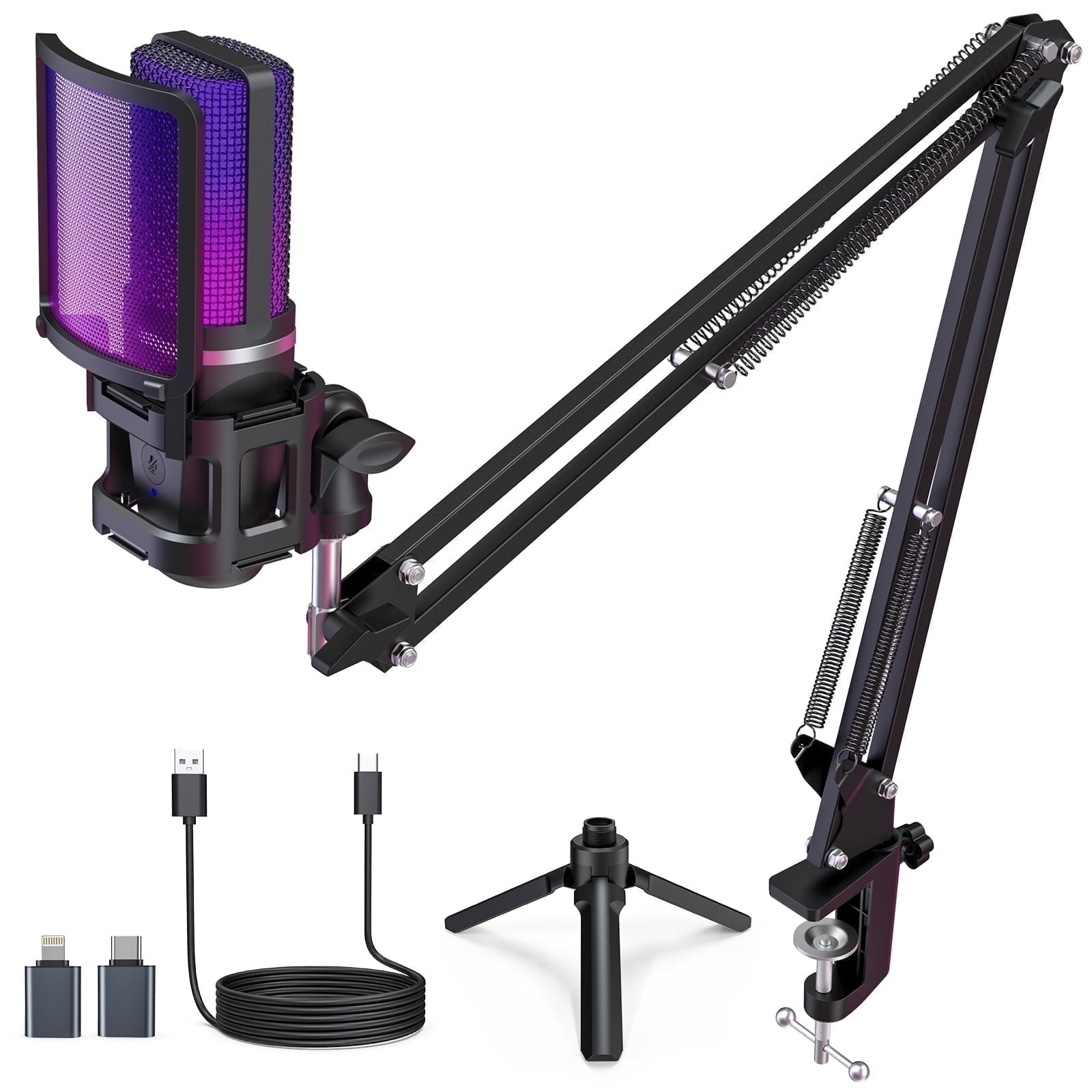
Elevate your gaming, streaming, and podcasting experience with the ZealSound 96kHz BKD-11 PRO USB microphone. Featuring dynamic RGB lighting, a Cardioid pickup pattern for high-fidelity audio capture, and precision controls like a volume knob and instant mute button, this plug-and-play...
The ZealSound is the value pick that quietly embarrasses more expensive mics. For $35.99 you get the microphone, a boom arm, a pop filter, and real-time monitoring through a 3.5mm headphone jack. That is the full starter setup in one box, no extra shopping required.
Its 1,503 buyer reviews at 5 stars make it the most-reviewed mic on this list, and the noise-canceling condenser does the heavy lifting on calls. The boom arm gets the capsule closer to your mouth than a desk stand ever will, which is the single best thing you can do for meeting audio. Touch the mute, turn the gain, and you are set for the day.
The only real trade-off is the arm. It needs a desk edge it can clamp to, and if your desk is glass or has a thick lip, you will want to check the clamp before committing. The RGB glow is also aimed at streamers more than board meetings, though it can be turned down.
| Spec | Detail |
|---|---|
| Connection | USB |
| Type | Noise-canceling condenser |
| Extras | RGB, mute, gain, monitoring, 3.5mm headphone jack |
| Included | Boom arm, pop filter |
| Price | $35.99 |
| Rating | 5 / 5 from 1,503 reviews |
Pros: Boom arm and pop filter included; real-time monitoring; noise-canceling condenser; huge review base.
Cons: Clamp needs a solid desk edge; RGB not for everyone; more setup than a desk stand.
Check the current price on Walmart
onn USB Tri-Pattern Microphone — Best for Calls and Meetings
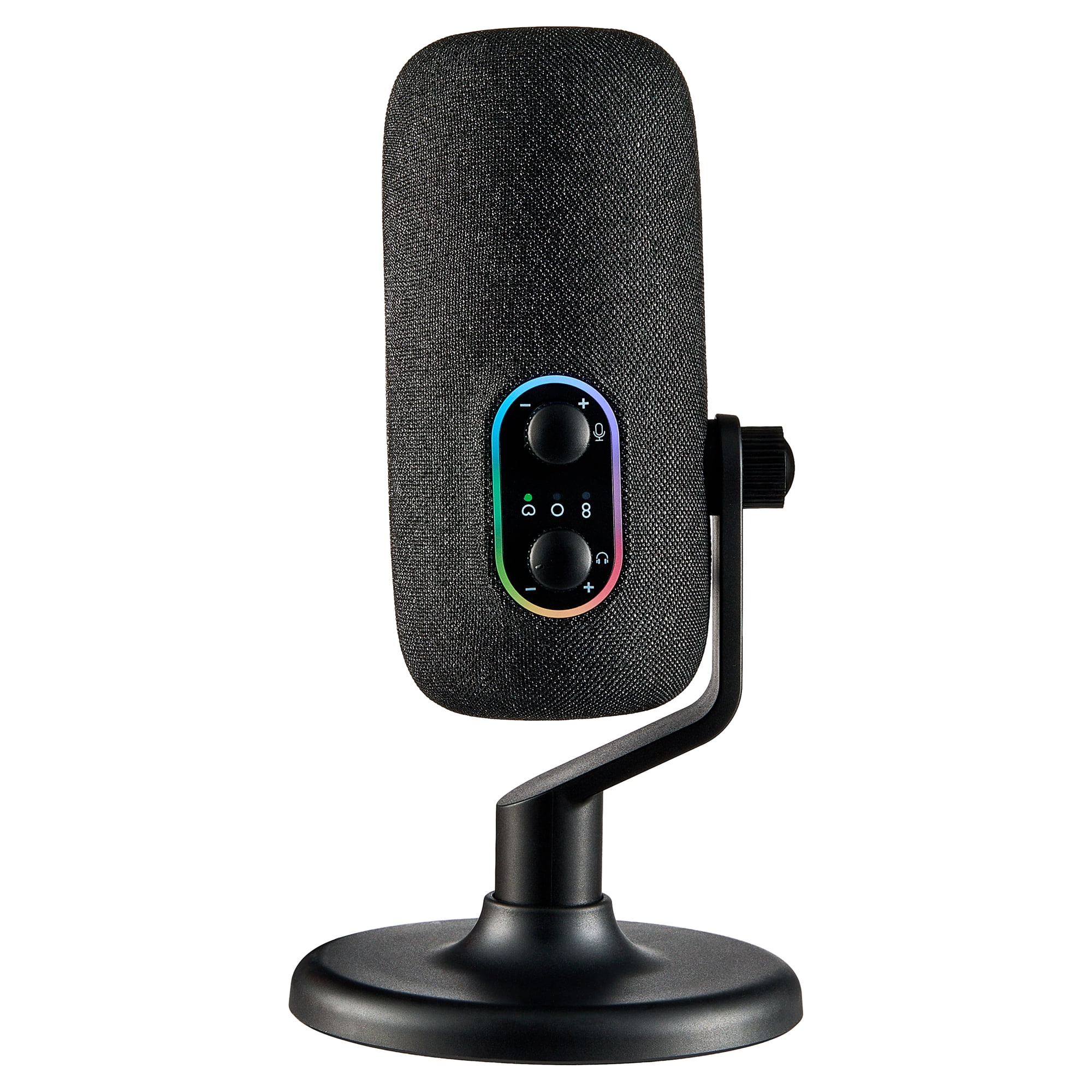
Clear sound starts with the onn USB Tri-Pattern Microphone. It is designed to help you record, stream, or chat with consistent audio that is easy to manage. You can choose from three recording patterns, including cardioid, omnidirectional, and bidirectional, so it works for different setups like...
The onn Tri-Pattern is the mic that understands meetings specifically. Volume and mute controls live right on the body, which means no more hunting for the mute button inside a video app while your kid yells something in the background. It also has a 3.5mm headphone jack for monitoring.
The tri-pattern design is the differentiator. Three pickup modes let you switch between solo calls, picking up a second person, or capturing two people across the desk. Few mics at this price give you that flexibility, and it makes the onn a genuine answer for shared workspaces.
At $29.83 with a 5-star rating, it undercuts most competitors while covering the features that matter. If you mostly join meetings and rarely record anything, this is the one to beat. For a Zoom-focused shortlist, our Best Microphone For Zoom Meetings guide is worth a read.
| Spec | Detail |
|---|---|
| Connection | USB |
| Pattern | Tri-pattern |
| Controls | Volume + mute |
| Extras | 3.5mm headphone jack |
| Price | $29.83 |
| Rating | 5 / 5 from 75 reviews |
Pros: Tri-pattern flexibility; on-mic volume and mute; headphone monitoring; strong value.
Cons: No boom arm in the box; plain looks; wired connection only.
Check the current price on Walmart
ZealSound Gamerwave — Best Touch-Mute Option
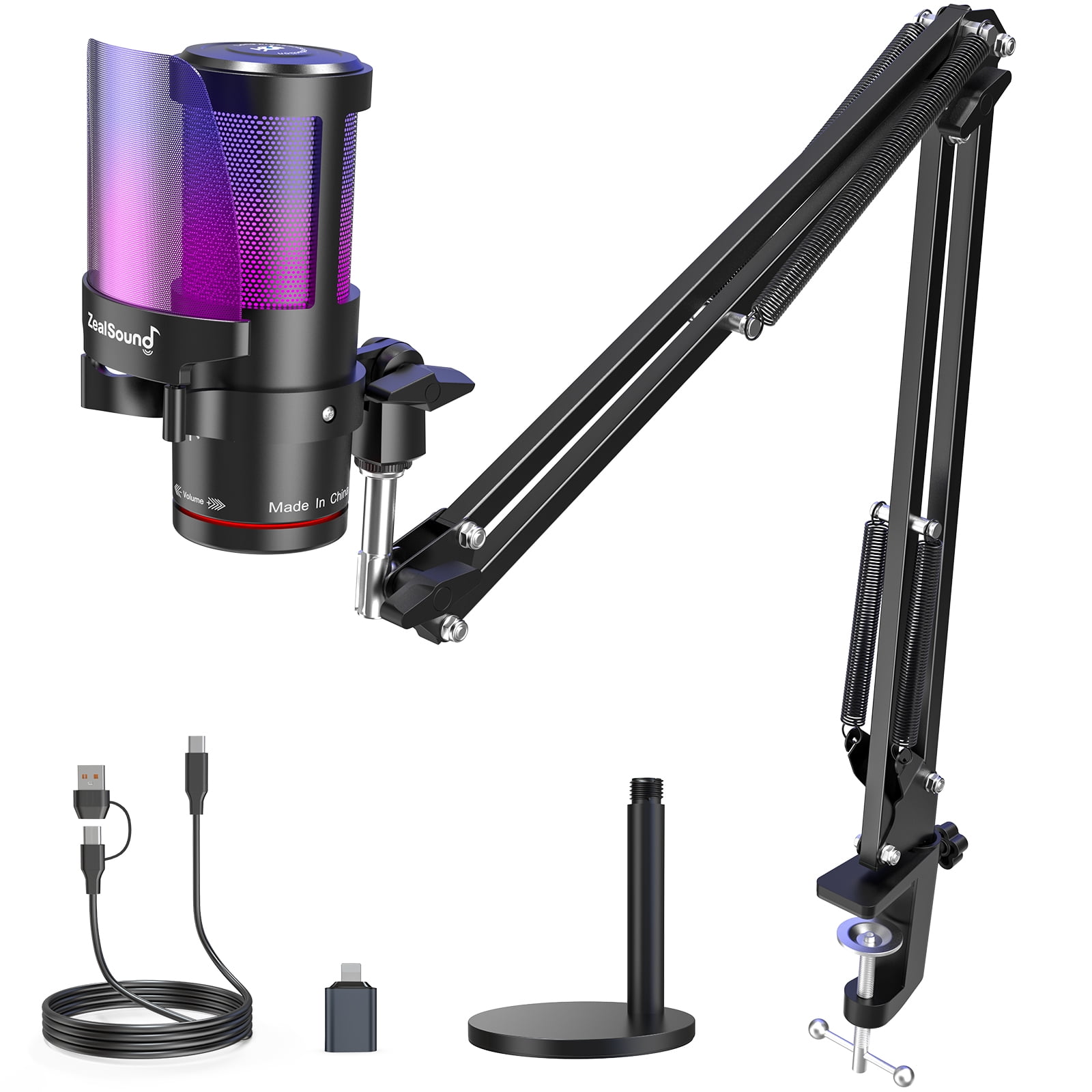
The ZealSound KM8S USB Gaming Microphone is the ideal choice for gaming, streaming, and content creation. With built-in noise reduction, this condenser mic delivers clear and immersive sound. It features touch mute, gain control, and real-time monitoring for easy and precise audio adjustments....
The ZealSound Gamerwave is the sibling of our value pick with one notable difference: touch mute. A quick tap on the top of the mic cuts your audio, which is a genuinely fast way to mute and unmute during a call. No button to hunt for, no keyboard shortcut to remember.
It keeps the same useful package as the original: noise-canceling condenser, gain control, monitoring, and a boom arm in the box. The 4-star rating from 227 reviews is a step below the top picks, and a handful of owners mention the touch sensor being picky about where exactly you tap. It is a fair trade if you like the control style.
At $39.99 it costs a few dollars more than the standard ZealSound for what is mostly a control-style difference. Choose this one if touch mute genuinely appeals to you, and the standard model if you want the safer bet at a lower price.
| Spec | Detail |
|---|---|
| Connection | USB |
| Type | Noise-canceling condenser |
| Extras | Touch mute, gain, monitoring, boom arm |
| Price | $39.99 |
| Rating | 4 / 5 from 227 reviews |
Pros: Fast touch mute; gain and monitoring; boom arm included; works across PC, PS4, and PS5.
Cons: Touch sensor can be finicky; pricier than the standard ZealSound; rating trails the top picks.
Check the current price on Walmart
onn USB Tri-Pattern Gaming Microphone — Best Gaming-Tuned Twin
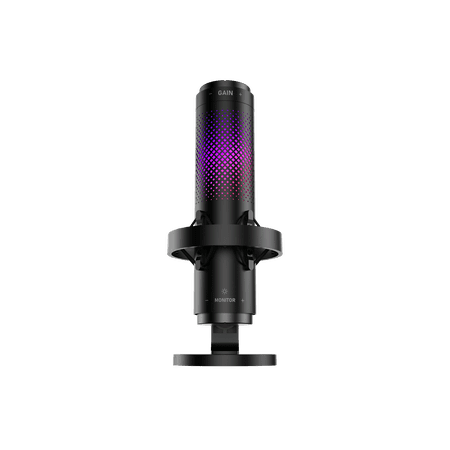
The onn USB Tri-Pattern Gaming Microphone is built to help you sound clear and in control while you play, stream, or record. It offers three recording patterns, including cardioid, omnidirectional, and bidirectional, so you can match your setup whether you are solo or with others. The built-in...
This is the gaming-badged version of the onn Tri-Pattern, and the honest take is that it is the same good microphone wearing a different label. You get the same tri-pattern flexibility, the same volume and mute controls on the body, and the same 3.5mm headphone jack for monitoring. The extra $12 mostly buys the gaming positioning and a 5-star rating from a smaller pool of 58 reviews.
For video conferencing, the standard onn is the better buy because it does the same job for less. The gaming version makes sense if you want one mic that also holds up in Discord and game chat, or if the slightly tuned character suits your voice better. It is not a bad product by any measure, just a redundant one unless the label matters to you.
| Spec | Detail |
|---|---|
| Connection | USB |
| Pattern | Tri-pattern |
| Controls | Volume + mute |
| Extras | 3.5mm headphone jack |
| Price | $41.87 |
| Rating | 5 / 5 from 58 reviews |
Pros: Same solid tri-pattern hardware; 5-star rating; on-mic volume and mute; headphone monitoring.
Cons: Costs $12 more than the identical standard onn; gaming label adds nothing for calls.
Check the current price on Walmart
Popu Pine USB Condenser — Best Ultra-Budget
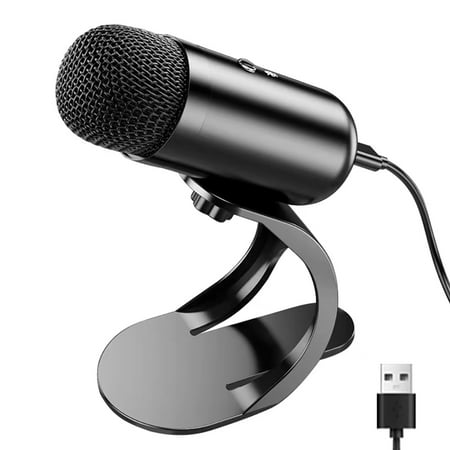
♫【All Metal Cavity & Plug and Play】Popu Pine USB Microphone body with metal material, provide stability. Easy Plug and play microphone, built-in sound card, no drivers to install, use type-c port simply plug the microphone into any available USB port, select and default it as your input device...
The Popu Pine is the answer to the oldest question in meetings: I just need to be heard, and I do not want to spend much. At $14.99 it is the cheapest mic on this list by a wide margin, and it still gets the job done. A wired condenser capsule, a desktop stand, and a USB connection. That is the whole pitch.
The 4-star rating from 163 reviews is respectable at this price, and it beats any laptop mic you will find. The trade-offs are predictable: no mute button, no gain control, no headphone jack. You set your level in the app and you live with it. For occasional calls it is perfectly fine. For all-day meetings, the extra $15 for the onn Tri-Pattern buys you the controls that make daily use tolerable.
If your budget is genuinely tight, this is the pick. If you are simply trying to save money, our Best USB Microphone Under $50 roundup shows how little you have to spend to get a full control set.
| Spec | Detail |
|---|---|
| Connection | Wired USB |
| Type | Condenser |
| Mount | Desktop |
| Price | $14.99 |
| Rating | 4 / 5 from 163 reviews |
Pros: Dirt cheap; plug-and-play; condenser clarity beats any laptop mic; decent review base.
Cons: No mute or gain controls; no headphone jack; basic build.
Check the current price on Walmart
The Consensus Pick We Did Not Rank
You will see the Blue Snowball iCE on almost every conference mic list, and that reputation is earned. It is the microphone Livestorm recommends for Zoom calls, a USB cardioid condenser with a solid metal stand. We left it off the main ranking for one honest reason: it has no mute switch and no gain control. For a dedicated meeting mic, we think those two controls matter more than brand recognition. If you want the name everyone recommends and you are fine adjusting levels in software, it is still a good buy.
Verdict
The FIFINE A6NEO is the best microphone for video conferencing right now. It pairs the two meeting-critical features, hardware mute and gain control, and backs them with a 5-star rating from 627 buyers. It also does not fall over when you start using it for streaming or recording too.
The ZealSound is the runner-up and the better pick if you want a complete setup out of the box. The onn Tri-Pattern is the value champion for pure meetings, and the Popu Pine covers anyone who just needs to be heard for under $15. Pick your lane, plug in, and let your next call sound like you actually care how you come across.
Buying Advice
Buy the FIFINE A6NEO if you want one mic that handles meetings, streaming, and recording without excuses. It is the safest all-around recommendation you can make to yourself.
Buy the ZealSound if you are starting from zero and want the whole setup in one box. The boom arm and pop filter are worth more than the price difference on their own.
Buy the onn Tri-Pattern if you join calls all day and want volume and mute on the mic itself. It is the most meeting-specific product on this list, and the tri-pattern flexibility is a bonus for shared desks.
Buy the Popu Pine if your budget is the deciding factor. It is a genuine upgrade over your laptop mic for less than the cost of lunch. If you can stretch a little further, the jump to a control-equipped mic is worth it, and our Best USB Microphone Under $100 guide maps the whole ladder.
FAQ
Do I really need a separate microphone for video conferencing?
Yes, and the data backs it up. According to meeting statistics compiled by Noota, 72 percent of employees say meetings frequently start late due to technical issues, and nearly three in four workers have experienced delays from audio or video problems. Your laptop mic is the most likely culprit in that stat. A dedicated USB mic removes the variable.
Condenser or dynamic for meetings?
Condenser for almost everyone. Condenser microphones are built for the widest frequency range, which is what makes your voice sound clear on a call. Dynamic mics reject background noise better but need to be close to your mouth, which is awkward for meetings. All six picks on this list are condensers for that reason.
What is the most important feature for a meeting mic?
A physical mute button. It is the difference between a controlled muting and fumbling through a video app while everyone waits. Gain control is a close second, because it lets you set a consistent level once instead of fighting software that keeps adjusting.
Can I use a gaming microphone for work calls?
Absolutely. Several mics on this list are sold as gaming microphones and they are excellent for meetings, because the features that help game chat, mute buttons, gain control, and clear voice pickup, are the same features meetings need. The RGB lighting is the only thing that feels out of place in a boardroom, and most of it can be turned off or ignored.
Should I buy a standalone mic or a headset mic?
A standalone USB mic sounds better for the same money and leaves your ears free for speakers or open headphones. A headset mic wins on convenience and keeps your voice level consistent because it moves with your head. For long meeting days, the standalone mic is the better choice; for pure convenience, a headset is fine. If you lean that way, our Best Headset Microphone For Recording Audio guide covers the good ones.